
Skip to content

AI Facebook Ad Generator

Turn product photos into static Facebook ads with your headline, offer, and brand assets.

3 free generation credits upon email verification or Google sign-up · No credit card required

Bombas · Meta Ad Library reference

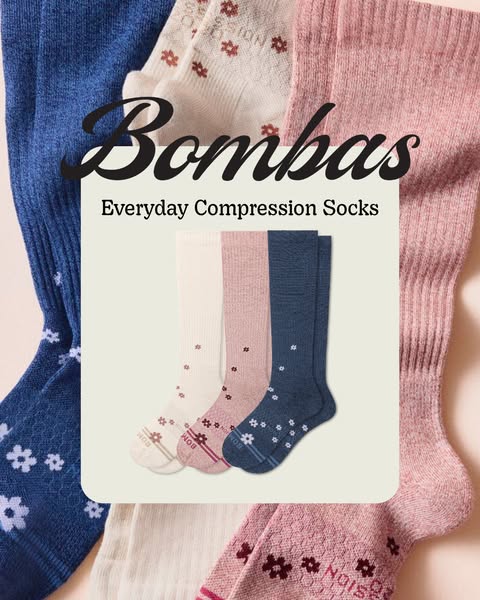
Bombas ad artwork with blue, pink, and white socks arranged around the words “Everyday Compression Socks”

Real ad format references

These are public third-party ad references. The pixel dimensions identify each source file; suggested planning sizes are shown separately and do not confirm platform placement.

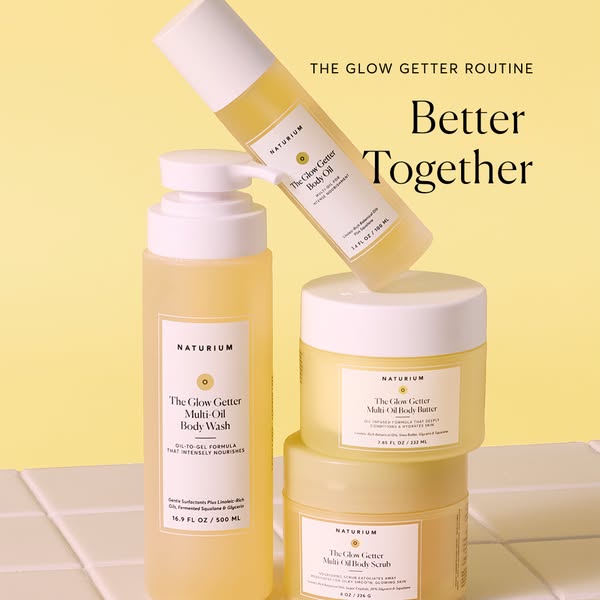
Four Naturium Glow Getter products: an angled body oil bottle, a pump body wash bottle, and two stacked jars of body butter and body scrub, under “Better Together”

Public Meta Ad Library reference · Naturium

1:1 square reference

Actual reference file
600 × 600px
Suggested planning size
1080 × 1080 px

A square product grouping on a clean background, presented as a public ad reference.

View Meta source ad (Naturium) →
Bombas socks arranged around “Everyday Compression Socks” in a 4:5 public ad reference

Public Meta Ad Library reference · Bombas

4:5 vertical reference

Actual reference file
480 × 600px
Suggested planning size
1080 × 1350 px

A portrait product image used here as a public reference; the file does not establish where the advertiser placed it.

View Meta source ad (Bombas) →
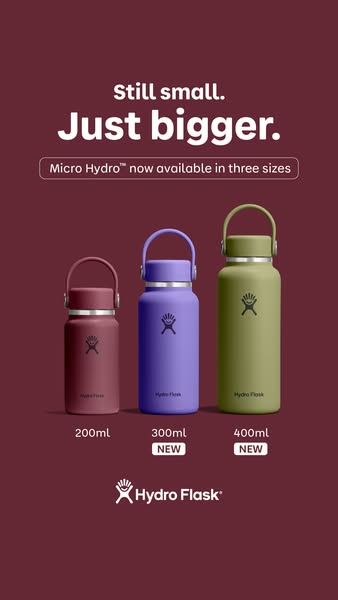
Hydro Flask 338 × 600 px image with three bottle sizes, close to a 9:16 ratio

Public Meta Ad Library reference · Hydro Flask

Near 9:16 vertical reference

Actual reference file
338 × 600px
Suggested planning size
1080 × 1920 px

This is a public reference image measuring 338 × 600 px. Its proportions are close to 9:16; the file alone does not confirm a Stories or Reels placement.

View Meta source ad (Hydro Flask) →

Commercial Static Ad Reference Breakdowns

Review how ecommerce brands combine headline hooks, product focus, and offers in public ad creative.

Bombas socks in blue, pink, and white arranged around “Everyday Compression Socks”

Public Meta Ad Library reference · Bombas

Bombas · Fashion & Apparel

Product name and benefit headline

Image ratio
4:5
Actual reference file
480 × 600 px

Blue, pink, and white socks are arranged around “Everyday Compression Socks.” The source ad headline and text separately mention a first-order code and relief for tired legs.

What to test

Test the benefit-led product name against a shorter product-only headline while keeping the same color-blocked arrangement.

View Meta source ad →
Four Naturium Glow Getter products: an angled body oil bottle, a pump body wash bottle, and two stacked jars of body butter and body scrub, under “Better Together”

Public Meta Ad Library reference · Naturium

Naturium · Skincare & Beauty

Product grouping with a routine headline

Image ratio
1:1
Actual reference file
600 × 600 px

Four Glow Getter products appear on yellow: an angled body oil bottle, a pump body wash bottle, and two stacked jars of body butter and body scrub. The image reads “The Glow Getter Routine” and “Better Together”; the source ad copy separately describes a four-step collection.

What to test

Test a small product grouping with a shared headline against a single-product view; keep the number of items accurate in both image and copy.

View Meta source ad →
Three Hydro Flask bottles labeled 200 ml, 300 ml, and 400 ml on a burgundy background

Public Meta Ad Library reference · Hydro Flask

Hydro Flask · Sports & Fitness

Side-by-Side Scale and Line Extension

Image ratio
Near 9:16
Actual reference file
338 × 600 px

Three Micro Hydro bottles appear on burgundy with 200 ml, 300 ml, and 400 ml labels beside “Still small. Just bigger.”

What to test

A labelled size lineup can make variants easier to compare; verify units and available sizes against the product page.

View Meta source ad →
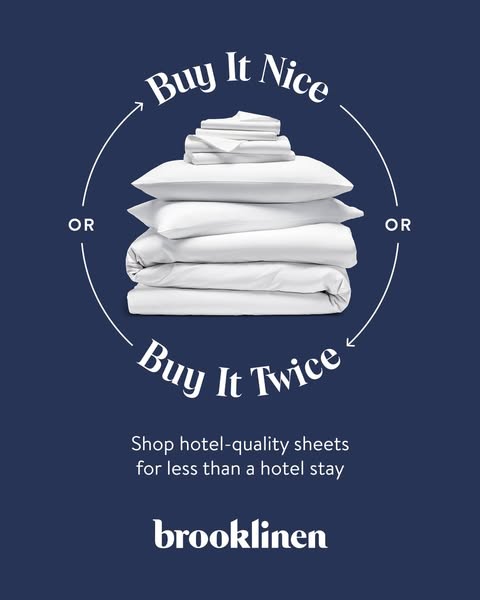
Stacked white Brooklinen bedding on dark blue beneath “Buy It Nice / Buy It Twice”

Public Meta Ad Library reference · Brooklinen

Brooklinen · Home & Living

Value line on a bedding image

Image ratio
4:5
Actual reference file
480 × 600 px

The artwork shows white bedding stacked on dark blue with “Buy It Nice / Buy It Twice” and a line about hotel-quality sheets. The question about changing sheets appears in the separate Meta ad headline, not the image.

What to test

Test a concise value line against a product-detail headline, keeping the bedding image unchanged.

View Meta source ad →

How it works

Three straightforward steps from raw photo to export-ready static Facebook ad.

01

Upload your product photo

Start with a clear product photo. Add the brand assets you want to use in your ad.

02

Select creative angle and copy

Choose a creative direction, then set your headline, offer, and call to action.

03

Review and export your ads

Download your chosen image format. Check product details and the Meta placement preview before publishing.

Frequently asked questions

Key details about static image formats, Meta publishing, and free generation credits.

Are these static image ads or video ads?

AdVariq generates finished static image ads. Static ads remain one of the most reliable and cost-effective creative formats on Facebook and Instagram, requiring zero video production overhead, zero audio synchronization, and zero editing timeline delays.

How do I publish generated ads to Meta Ads Manager?

Download your high-resolution PNG or WebP images from AdVariq, open Meta Ads Manager or Meta Business Suite, create or edit your ad set, and upload the image file into the ad creative section. You retain complete ownership over targeting, budgets, and audience bidding.

What free generation credits are included upon sign-up?

When you create a new AdVariq account and verify your email address (or sign in via Google), you receive 3 free generation credits. No credit card is required. This allows you to test your own product photos across multiple angles and formats before subscribing to a paid plan.

Can I generate multiple creative variations from a single product photo?

Yes. A single product packshot can generate product spotlight ads, benefit-driven lifestyle frames, and promotional offer visuals. This enables systematic A/B creative testing without booking multiple studio photography sessions.

Do I need graphic design or Photoshop experience?

No design experience is required. AdVariq automatically pairs lighting, realistic textures, balanced typography, and call-to-action buttons according to Meta ad best practices, delivering polished marketing assets in minutes.

Turn your product photos into Facebook ads today

3 free generation credits upon email verification or Google sign-up · No credit card required. Test creative angles with your own product photos in minutes.